

Two clients, one conversation
A passkey-locked browser app with streaming chat, history and attachments, or a Telegram bot. Both reach the same agent, the same transcript and the same memory.


curl -fsSL https://q15.co/install.sh | shq15 initq15 upq15 status| Command | What it does |
|---|---|
the curl |
One signed binary into ~/.local/bin. No sudo, nothing installed system-wide. |
q15 init |
Names the agent, picks a model, sets the address. |
q15 up |
Renders the units, starts the stack, waits for health. |
q15 status |
What runs, and what the agent can reach. |
That is the whole install. init prints the address of the browser client: open it, create your
passkey, send a message.
q15 is an AI agent runtime you install on a server you control. One person runs one q15, keeps it running, and talks to it from a browser or from Telegram. Everything it knows and everything it has produced (memory, files, jobs, turn history) is stored as files in volumes you own, so restarts and updates do not take its work away.
Two clients, one conversation
A passkey-locked browser app with streaming chat, history and attachments, or a Telegram bot. Both reach the same agent, the same transcript and the same memory.
The credentials are not in the agent
Every command’s outbound traffic goes through an egress proxy you configure, and the tokens for what the agent reaches live there. The agent reads data; it never reads the key.
Memory and workspace that survive
Identity, extracted knowledge, working state and the full turn history live under /memory as
files; /workspace is a project tree, not scratch space. Both carry across deploys.
Work while you are away
Scheduled jobs run as their own isolated agent turns, with their own model pins and a per-job tool allow-list, and report back to the chat that created them.
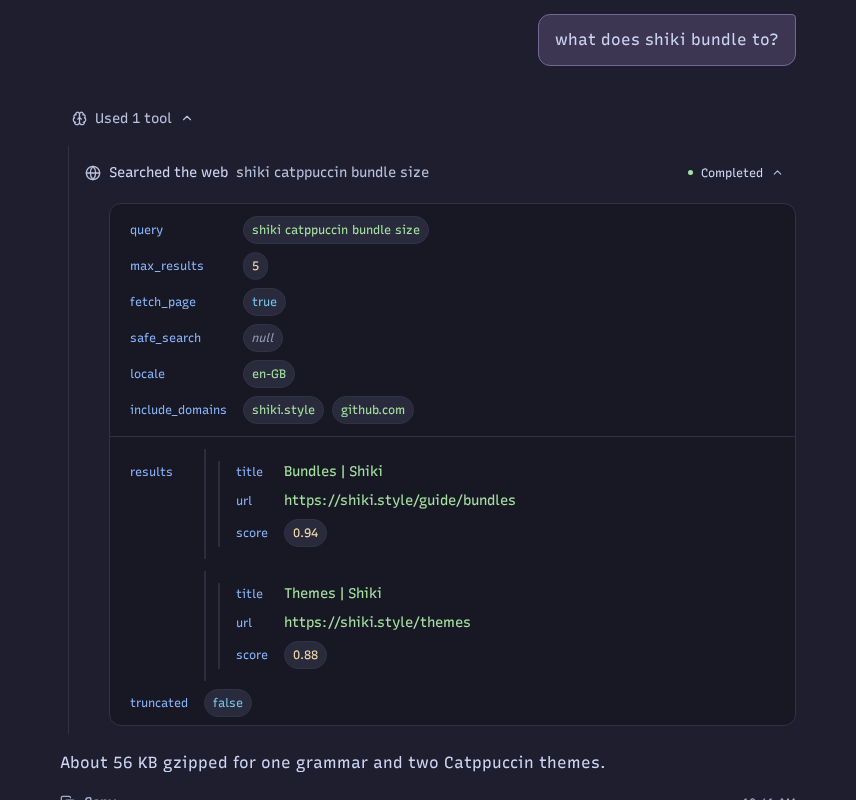
One turn in the browser client: your question, what the agent did about it, and the answer. Tool arguments render as fields instead of raw JSON, reasoning sits in a block you can collapse, and the same conversation is what Telegram writes into.
Why q15 states what the design does and does not claim, in nine lines.
| If you want to | Read |
|---|---|
| Run it on your own server | Install q15 |
| Know what it does not claim first | Why q15 |
| Pick a path by what you want to do | Start here by intent |
| Reach it from your phone | Chat then Telegram |
| Let it work without you | Jobs |
| Learn what it can actually do | Tools and Skills |
| Run a local model | Models |
| Read, search or move its memory | Memory and Workspace |
| Understand the boundaries | Architecture and Security |
| Keep it running and keep the data | Updating, Backups, Troubleshooting |
| Look up a key, a path or a command | Reference |
This site ships a plain-text index for agents: /llms.txt lists every page with a one
line description, and /llms-full.txt concatenates all of them. Every page is also
served as Markdown, by adding .md to its URL: /install.md, /reference.md.
If you work with a coding agent of your own, it can read those instead of you pasting pages:
Read https://q15.co/llms.txt, then https://q15.co/llms-full.txt, and answer myquestions about installing and running q15 from them.